Leave of absence
Let staff and department members set themselves as on leave for a fixed time. The On Leave role is removed automatically when their leave ends.
What you'll use
- A free store item with a role requirement
- A Give roles action with a timer
Set it up
- Create an On Leave role.
- In the Dashboard → Store, create an item named Leave of Absence (14 days) with a price of
0. - Turn off Inventory Item.
- Add a Has any of these roles requirement with your staff and department roles, so only they can take leave.
- Add a Give roles action that adds On Leave When bought, and set its timer to 14 days.
- Optionally, add a Send a message action to confirm the leave.
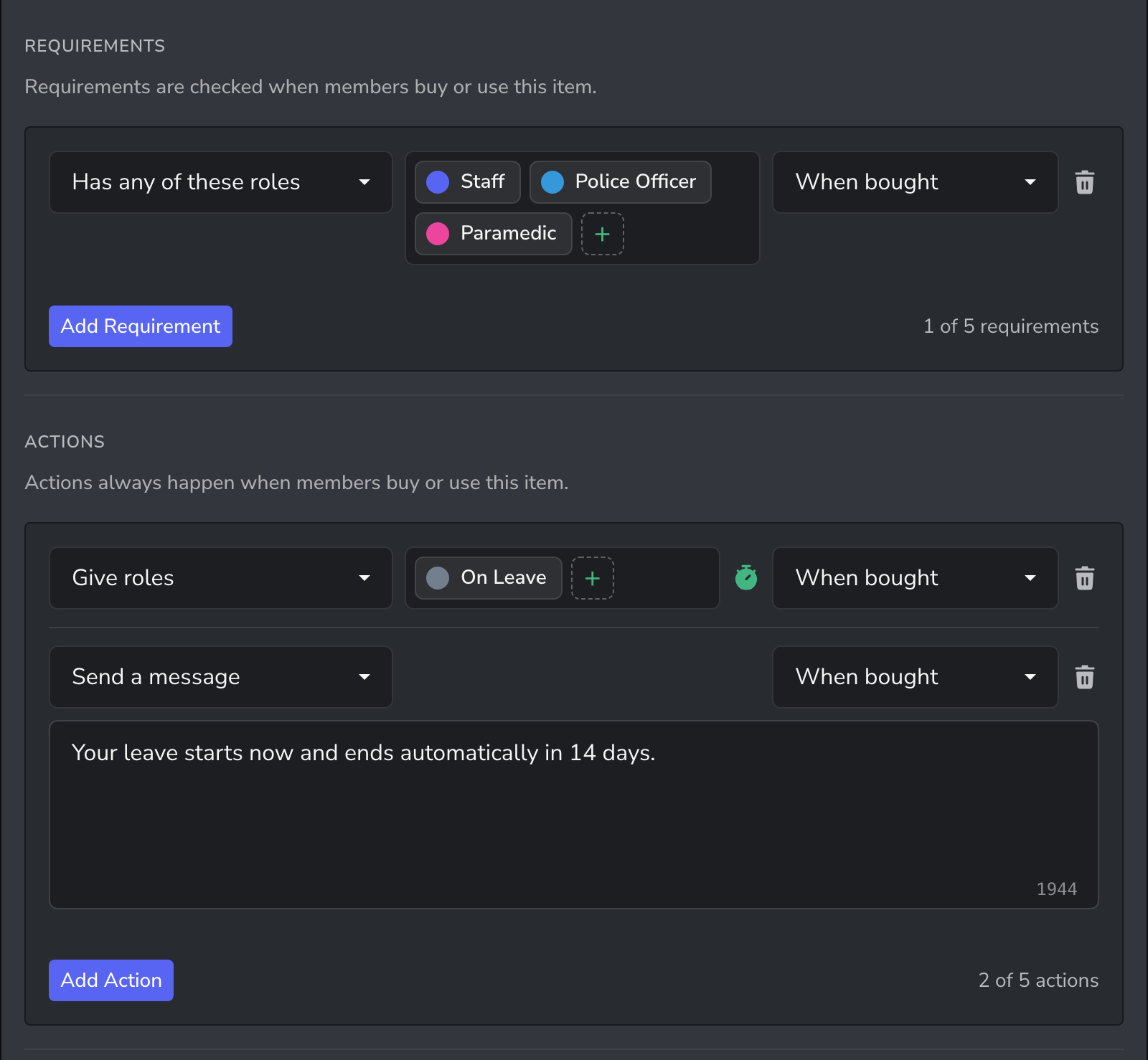
Members start their leave with /item buy, using the item name.
Tips
- Create one item for each length you allow, such as 7, 14 and 30 days.
- Ask members to buy the item in a #leave-requests channel, so the confirmation message is posted where staff can see it.
- To end leave early, remove the On Leave role from the member in Discord.
Related guides
- Timed roles and passes: the same timed role recipe for any server
- Department salaries and rank pay