Command cooldowns
Command cooldowns can be configured for economy commands such as work, adventure, crime, rob, as well as game-related
commands.
Work, Adventure, Crime, and Rob cooldowns
You can configure cooldowns for these commands either via the dashboard or using text commands. The minimum cooldown is 30 seconds. Adventure's cooldown can only be changed on the dashboard.
Dashboard
- Visit the dashboard
- Open the relevant command settings page
- Adjust the cooldown value
Text commands
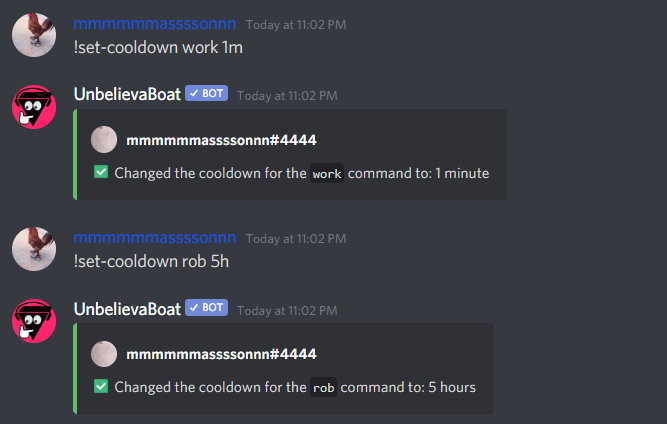
Use the set-cooldown command:
!set-cooldown <work | crime | rob> <cooldown>
Example:
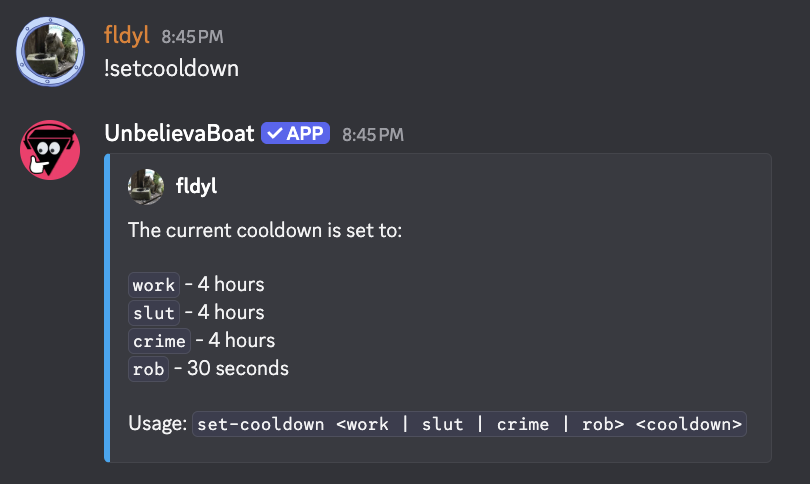
To view the current cooldown configuration, run the command without any arguments:
!set-cooldown
Example output:
Game command cooldowns
Cooldowns for game commands such as blackjack, cock-fight, and roulette are managed separately.
These cooldowns:
- Use one setting for all games: a number of uses allowed in a set duration
- Are counted separately for each game. For example, 4 uses every 5 minutes means 4 games of blackjack and 4 games of roulette.
- Don't apply to animal racing
Dashboard
- Visit the dashboard
- Open the Games page
- Adjust the Game Cooldowns values
See Game settings for more information.
Text command
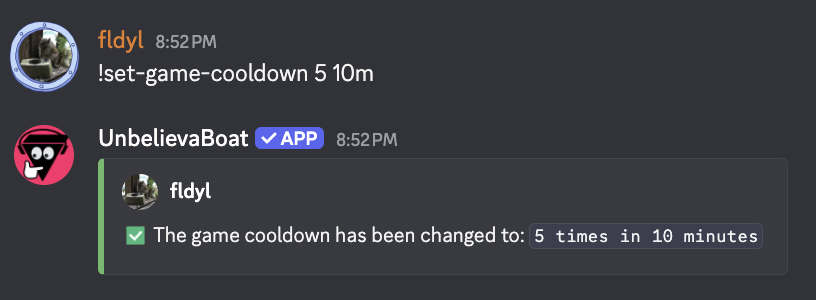
Use the set-game-cooldown command:
!set-game-cooldown <usages> <duration>
Example: